Every few weeks someone sends me a clip of a text prompt turning into a 3D dragon and asks whether that ends modelling as a job. The clip is real, the mesh is real, and the question is still the wrong one, because the dragon was never the hard part. I make AI video for a living and I have watched this exact confusion play out in my own field: the generation step got cheap, and everybody assumed the pipeline had.
There are two completely different technologies wearing the same phrase, and almost every argument about AI and 3D is two people each describing a different one. Sorting them out is the whole post.
Two machines, one phrase
The first machine is a mesh generator. You give it text or a reference image, it gives you geometry and textures. Meshy, Tripo and Rodin are the hosted ones; Hunyuan3D 2.1 and Microsoft’s TRELLIS.2 are the open-weight ones you can run on your own GPU, if that GPU has 24GB on it. This machine is genuinely astonishing and it is basically solved.
The second machine is a frontier language model: Kimi K3, Claude Opus 5, Claude Fable 5. This one emits no geometry whatsoever. It writes the code around the geometry. The loader, the compression step, the material graph, the level-of-detail strategy, the device-tier detection, the build script that turns a 40MB export into something a phone will actually stream.
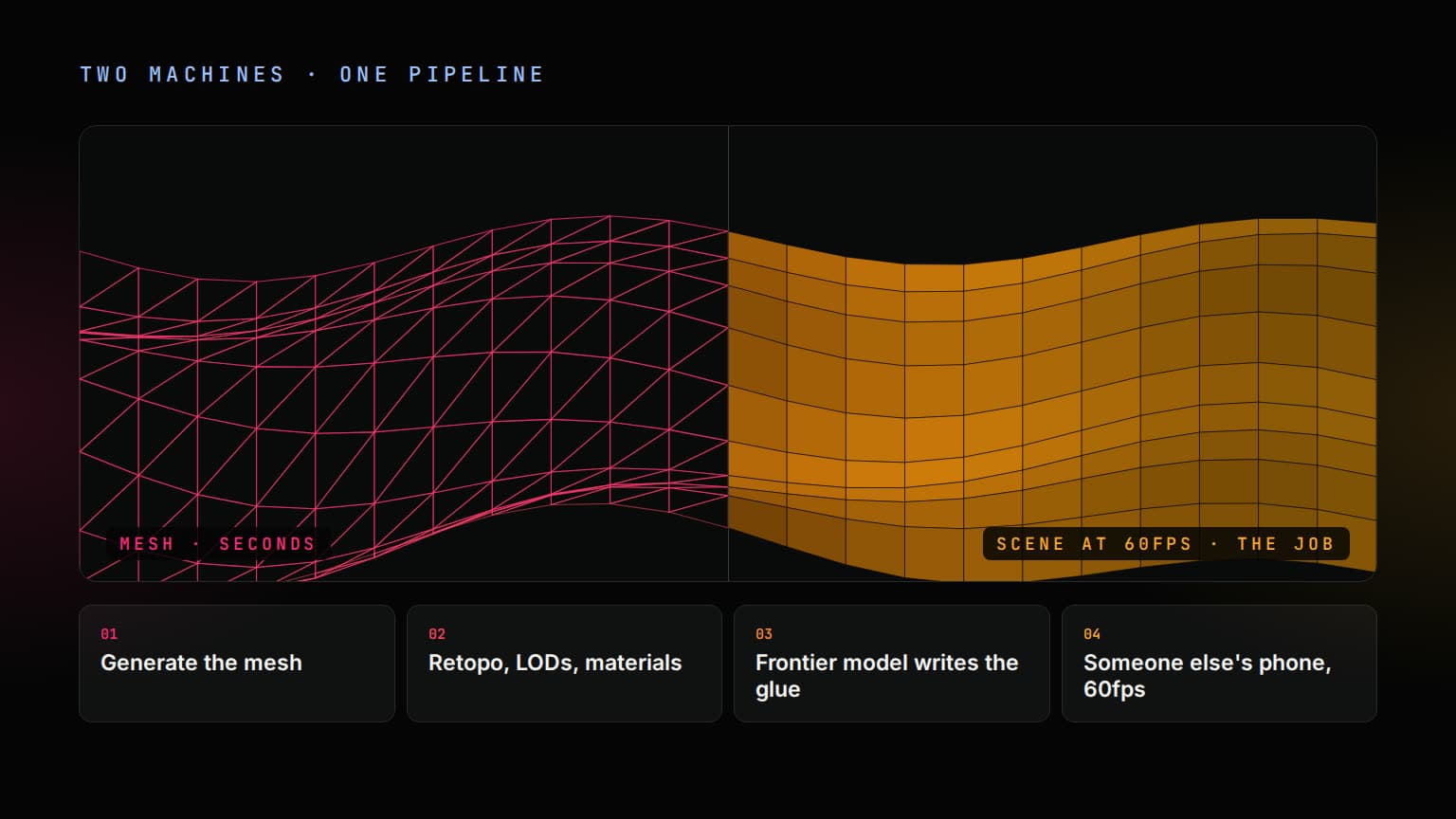
One machine makes the rock. The other makes the rock arrive on a four-year-old Android in under two seconds and hold 60fps once it does. Only one of those was ever the bottleneck, and it was not the rock.
What a mesh generator actually hands you
The speed is not marketing. Tripo advertises a usable model in around eight seconds, and in my own use the hosted tools are in that neighbourhood. The word worth interrogating is not fast. It is game-ready, which every one of these products prints on the box and which means something specific that they do not all mean.
A generated mesh arrives as dense triangle soup. That is fine, even correct, for a static prop you will never deform. It is wrong for anything that bends, because a bend needs edge loops running around the joint and a generator has no concept of where your character’s elbow is. Auto-unwrapped UVs put seams where the algorithm found it convenient rather than where a texture artist would hide them. You get one density where a game needs three or four. Meshy will auto-rig a humanoid and hand you animation presets, and that genuinely works; ask for something with six legs and you are back in Blender with a weight-painting problem.
This is the actual shift in 2026, and it is a quieter one than the demo reels suggest: the competition moved off can it make a mesh, which is finished, and onto can it finish a mesh. Retopology, UV repair, LOD chains, format conversion. The unglamorous end.
glTF is the boring part, which is why it wins
The only reason any of this composes at all is that the industry agreed on a container. glTF 2.0, and its binary form .glb, is what every generator exports and what every web renderer reads. Khronos calls it the JPEG of 3D and the comparison holds: nobody argues about it, which is the highest compliment a format can earn.
Two things inside that container decide whether your page is usable. Geometry compression, via Draco or meshopt, is the one everyone finds first because it shows up in the network tab. Texture compression, via KTX2 and Basis Universal, is the one that actually matters and almost nobody reaches for, because its cost is invisible until a device falls over.
Here is the arithmetic that ends the argument. A 2048×2048 PNG inside your GLB might be two or three megabytes on the wire, so it looks harmless. On the GPU it is decompressed to uncompressed RGBA: 2048 × 2048 × 4 bytes, which is 16MB. Four of those on one asset is 64MB of texture memory for a single prop. KTX2 stays compressed on the GPU instead of being expanded at upload time, which is why it is the difference between a scene that runs on a mid-range phone and one that starts evicting textures and stuttering.
three.js is the delivery layer
On the web, the thing that turns a GLB into pixels is almost always three.js, currently at r185. It has been the default for a decade, and the last two years changed what it is underneath.
WebGPU is the headline. Safari 26 shipped it in September 2025, which completed support across every major browser, so WebGPURenderer stopped being a flag you tell people to enable and became a deployment target. Alongside it came TSL, the Three Shading Language: you describe material logic as nodes once, and it compiles down to WGSL or GLSL depending on which renderer is live. That matters more than it sounds, because the alternative is maintaining two shader codebases for the years in which you support both.
two machines · one pipeline
01
Mesh generator
geometry in seconds
02
The gap
retopo, LODs, materials, physics
03
Frontier model
writes everything between mesh and scene
04
Browser at 60fps
the part that was actually slow
What the frontier models are actually for
In this domain, Kimi K3, Opus 5 and Fable 5 are code models. Not a demotion: writing the pipeline is the work that was left.
Kimi K3
Moonshot AI
2.8T params · 1M context · open weights
The one you can host yourself. Modified MIT licence, so the pipeline that touches unreleased art never has to leave your hardware.
Claude Opus 5
Anthropic
1M context · $5 / $25 per Mtok
The agentic coding workhorse. Reads a screenshot of your render at full resolution and debugs the actual pixels.
Claude Fable 5
Anthropic
1M context · $10 / $50 per Mtok
Thinking is always on, with no off switch. The one you hand a whole migration to and read in the morning.
Kimi K3 landed in July 2026 at 2.8 trillion parameters, and Moonshot published the weights under a modified MIT licence: the largest open-weight model anyone has shipped. It went to the top of the Frontend Code Arena leaderboard on release, which is a benchmark and should be read like one. The licence is not a benchmark, and for a studio whose unreleased art cannot leave the building, the licence is the entire story.
What makes any of these three useful here is not cleverness, it is the million-token context window. A 3D pipeline is never one file. It is the loader, the material setup, the asset manifest, the Draco decoder path, the disposal hooks, the tier detection, the bundler config that decides whether the decoder is even in the chunk. Hold all of that at once and the model can answer why is this leaking instead of here is how loaders work in general. That is a category difference, and it is the first time the tool has been on the right side of it.
Opus 5 adds the piece I did not expect to care about: it reads the render. High-resolution vision means you hand it a screenshot of the broken frame alongside the code that produced it, and the conversation is about the actual pixels rather than your description of them. For graphics work, where the bug usually looks like something rather than throwing something, that is the difference between a debugging session and a guessing session.
The bug that eats every three.js app
three.js allocates on the GPU, and the GPU is not garbage collected. Dropping your last JavaScript reference to a mesh frees the JavaScript object and leaves the buffers and textures exactly where they were. Removing the element from the DOM does nothing either. You have to call dispose() yourself, on every geometry, every material and every texture, and a loaded GLB is a scene graph you did not build, so you have to walk it.
function disposeScene(root) {
  root.traverse((object) => {
    if (!object.isMesh) return
    object.geometry.dispose()
    // A mesh can carry one material or an array of them.
    for (const material of [object.material].flat()) {
      // Textures are separate GPU allocations from the material holding them.
      for (const value of Object.values(material)) {
        if (value?.isTexture) value.dispose()
      }
      material.dispose()
    }
  })
}
In React this goes from a footgun to a guarantee, because remounting is normal. Every client-side navigation back to the page runs the loader again, and without disposal the previous scene is still resident with nothing pointing at it. The symptom is unmistakable once you have seen it: the page is fine, the second visit is fine, the fourth visit runs at twenty frames a second, and on mobile the tab dies. Nothing in the console. This is exactly the bug class the long-context models are good at, because the leak is never in the file you are staring at.
The budget nobody writes down
Before generating a single asset, write the numbers down: triangles per scene, draw calls per frame, megabytes of texture memory, total download before first interaction. Not because the numbers are hard, but because without them there is no definition of too much, and generative tooling is a machine for producing slightly too much very quickly.
Draw calls are where it bites first. Every distinct geometry-and-material pair is a call, and generated assets each arrive with their own material, proudly. Fifty AI-generated props is fifty draw calls that a texture atlas and one merged geometry could have made into one. Nothing warns you. The frame just gets slower in a way that no single asset is responsible for.
- 01Set the budget first: triangles, draw calls, texture megabytes, total download. Write it in the repo, not in a conversation.
- 02Generate the asset, from a reference image rather than text where you can. Silhouette control is worth more than prompt cleverness.
- 03Finish it: retopologise anything that deforms, repair the UVs, build the LOD chain.
- 04Compress it: meshopt or Draco for geometry, KTX2 for every texture, no exceptions for the ones that "look small".
- 05Atlas and merge, so fifty props stop being fifty draw calls.
- 06Measure on the worst device you claim to support, not on the machine that generated the asset.
The reason this matters more now than it did three years ago is arithmetic, not taste. The cost of producing one more asset fell to roughly zero. The cost of shipping one more asset did not move at all. Every workflow that gets faster at the front and not at the back ends up pushing the mess downstream, and downstream is a stranger’s phone.
Where it still falls over
Style coherence
Two prompts give you two silhouettes from two different art directions. Generating one asset is solved; generating forty that look like they belong in the same game is not, and it is the difference between a demo and a product. Art direction stayed a human job, and it turns out it was always the job.
Anything that moves
Auto-rigging is real for humanoids and passable for quadrupeds. Outside that, and for the animation itself, you are doing keyframe or mocap work exactly as before.
Provenance
What the model trained on, and what your publisher or storefront will accept from you as a result, is a question to answer in writing before the asset is in your build, not after. It is the least interesting paragraph in this post and the one most likely to cost somebody a release.
The rule I ended on
Let the model write the pipeline. Never let it set the budget. The generator decides what an asset looks like, the language model decides how it gets there, and a human decides how much the page is allowed to weigh. Skip the third one and the first two will happily produce something beautiful that nobody can load.
Which is why there is no spinning 3D model on this page. three.js is roughly six hundred kilobytes before it draws a single triangle, and this article is text. Shipping a live demo here to prove I could would be the exact mistake the whole post is about, on the one page where anybody would notice.