
You can generate a beautiful city and still have no mini game. The player needs a goal, a finish and a way to try again. Here is the full build sequence, using my ParisRunner2026 project: Three.js in the browser, Blender assets, VPS-generated references and saved evidence before an agent calls the work done.

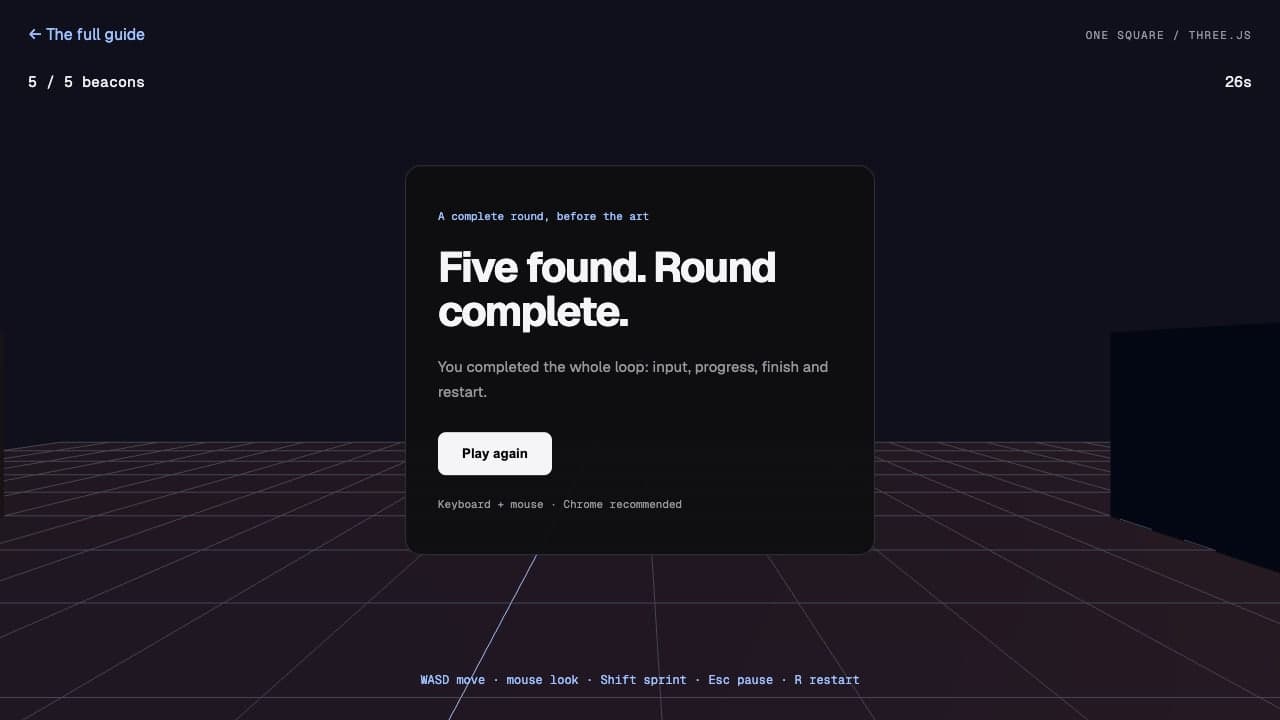
ParisRunner already has first-person play, Ronin, weapons, the Arc plaza and FL Tower. This guide also includes a separate, runnable starter: collect five beacons in 30 seconds. It teaches the complete round without asking you to build a whole city first.
Three.js handles the scene and runtime behavior. Blender handles authored meshes and rigs. The reviewer checks what reaches the browser. Give each tool that job, then finish one playable improvement at a time.
1. Define a round you can finish
Write the goal before the map. Pick one action, one arena and one end condition. The starter uses five beacons, a 30-second timer and a restart button. Those are example rules, not a performance claim about ParisRunner. Change them in main.js.
Starter brief · newly proposed example
Build one first-person browser mini game.
Goal: collect five light beacons in one square.
Round: 30 seconds. Win when all five are collected.
Lose: time reaches zero. Restart: R or the end-screen button.
Controls: WASD, mouse look, Shift sprint, Escape pause.
Keep it playable with primitive geometry before adding art.
Acceptance: start, collect, win, lose, pause and restart work.
This teaching example is separate from ParisRunner's game modes.
Ask your coding agent to deliver that greybox first. For your own game, replace the goal, controls and camera before building. You should be able to complete a round with plain geometry. If the rules are unclear, another landmark will not resolve them.
2. Run a small Three.js game
Use Node.js 22.12 or later. The downloadable starter pins Three.js 0.186.1 and Vite 8.3.1, includes a lockfile and builds with a relative asset base. It has movement, simple collision, collection, a timer, pause, win, loss and restart. It uses no generated 3D assets.
Download and run the complete starter
curl -L https://www.alexsssaint.com/blog/parisrunner-mini-game-starter.zip -o mini-game.zip
unzip mini-game.zip
cd one-square-mini-game
npm ci
npm run dev
Open the playable starter or download its source ZIP. This is a keyboard-and-mouse desktop example. To start an empty project instead, use the official Vite setup:
Vite · Official documentation
Getting Started
The official scaffold commands, supported templates and Node.js requirements used in step 2.
vite.dev
Empty scaffold · optional alternative
npm create vite@latest my-mini-game -- --template vanilla
cd my-mini-game
npm install
npm install three
npm run dev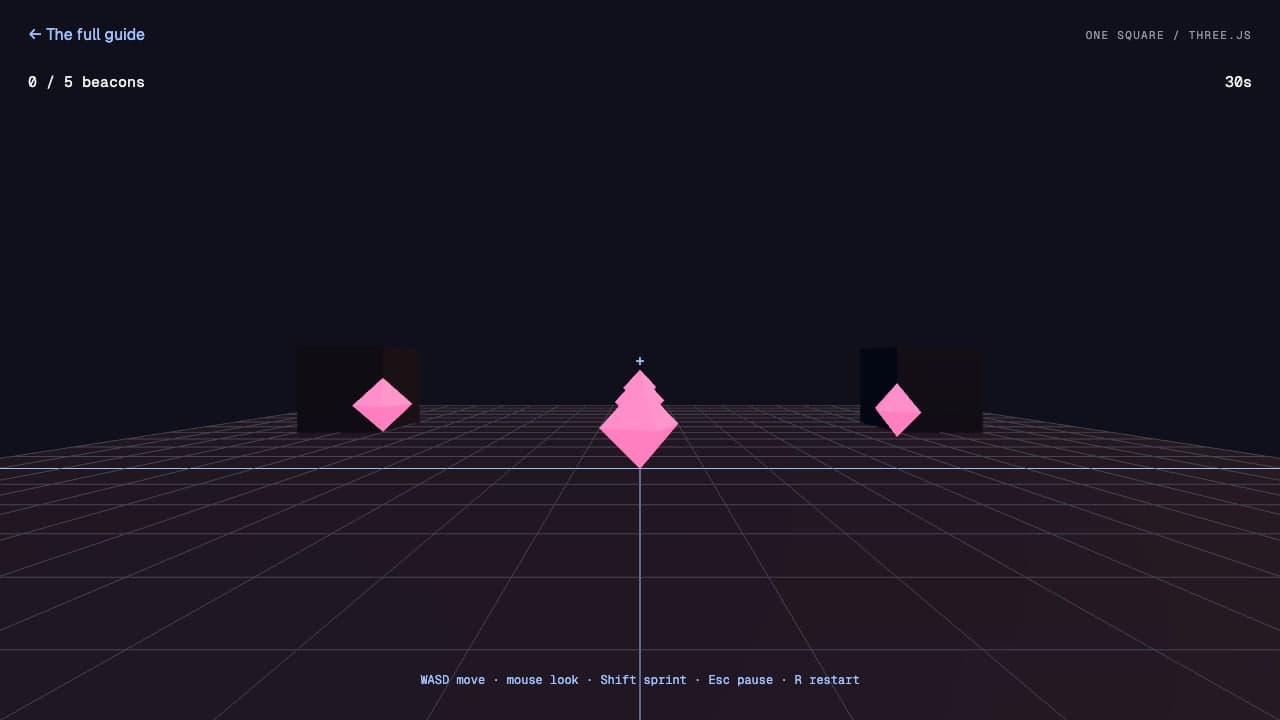
Choose the stack around the rules
The same sequence works for a racer, platformer, exploration game or arena. Three.js supplies rendering. Your game still needs an update loop, rules, input and a user interface. Choose each layer below to match your game’s rules.
Browser game stack · add a layer when the rules require it
| Job | Practical choice |
|---|---|
| Scene and rendering | Three.js, its loaders and selected effects |
| Build and static assets | Vite; pin the packages and lockfile |
| Physics when needed | Rapier or Cannon-es; choose one |
| Audio | Web Audio API or Howler.js |
| HUD and menus | HTML/CSS driven by game state |
| Online rooms when needed | Node.js with Colyseus or Socket.IO |
| HTTP endpoints when needed | Node.js routes or Express |
| Art | Procedural scenery or authored GLB assets |
| Delivery | Static client plus a suitable live game host |
Add Rapier or Cannon-es when rigid bodies, jumping or collision behavior justify it. The starter’s simple collision does not need either. Keep Blender for authored meshes and rigs; procedural geometry can cover simpler scenery.
The Web Audio guide explains starting audio from a user gesture. Howler.js is an optional wrapper. Enable sound from Start and provide mute. Match the interface to the game: checkpoints for a racer, a collection count for exploration, health and cooldowns for combat.
3. Test the input before adding detail
Start the round from a real button. Request pointer lock from that click, handle failure, and listen for unlock. Escape should release the mouse and pause the round. Clear held keys when focus leaves the game. See MDN’s Pointer Lock guide for the browser contract.
MDN Web Docs · Official documentation
Pointer Lock API
Mouse movement for first-person games, the start gesture, unlock events and browser compatibility.
developer.mozilla.org
Control acceptance sheet
[ ] Start from a click; the mouse locks or drag-look works.
[ ] Move forward, backward and sideways.
[ ] Diagonal movement is normalized.
[ ] Sprint changes movement speed.
[ ] Walls and props block the player.
[ ] Escape pauses; resume preserves the timer.
[ ] Collecting all targets shows the win screen.
[ ] Time running out shows the loss screen.
[ ] R and Play again reset targets, timer and position.
Test the actual game in full Chrome. GlassTerm protects its embedded preview from pointer lock; keep that protection. A screenshot can establish that a weapon is visible. It cannot establish that firing, switching or reloading works.
4. Turn the art direction into assets
Generate references on the VPS. Keep the full-resolution originals and their prompts. ParisRunner’s Arc reference below was generated in the VPS Chrome on 29 September. It gives the artist a readable target: recognizable stone, neon frames and overhead cables.

Use Blender for the monument, weapon shape, rig and attachment points. Use Three.js for lighting, fog, camera response, procedural cable runs and animated screens. In this project, game/src/cables.js and game/src/billboards.js carry those runtime jobs.
A public example of the same tool split: on 27 September, Shikhar shared his third browser-game iteration built with Blender, image generation and Three.js. Watch the original clip below. It is his demonstration, not a ParisRunner benchmark.

“It turned blender, image-gen, and three.js into this beauty, which runs on your browser.”
1,793,593 views · 8,744 likes · 3,844 bookmarks
Snapshot: . Saved receipt.
Read the full post on X
Blender Manual · Official documentation
glTF 2.0 export
The export format, supported materials and animations, and the single-file GLB option for browser assets.
docs.blender.org
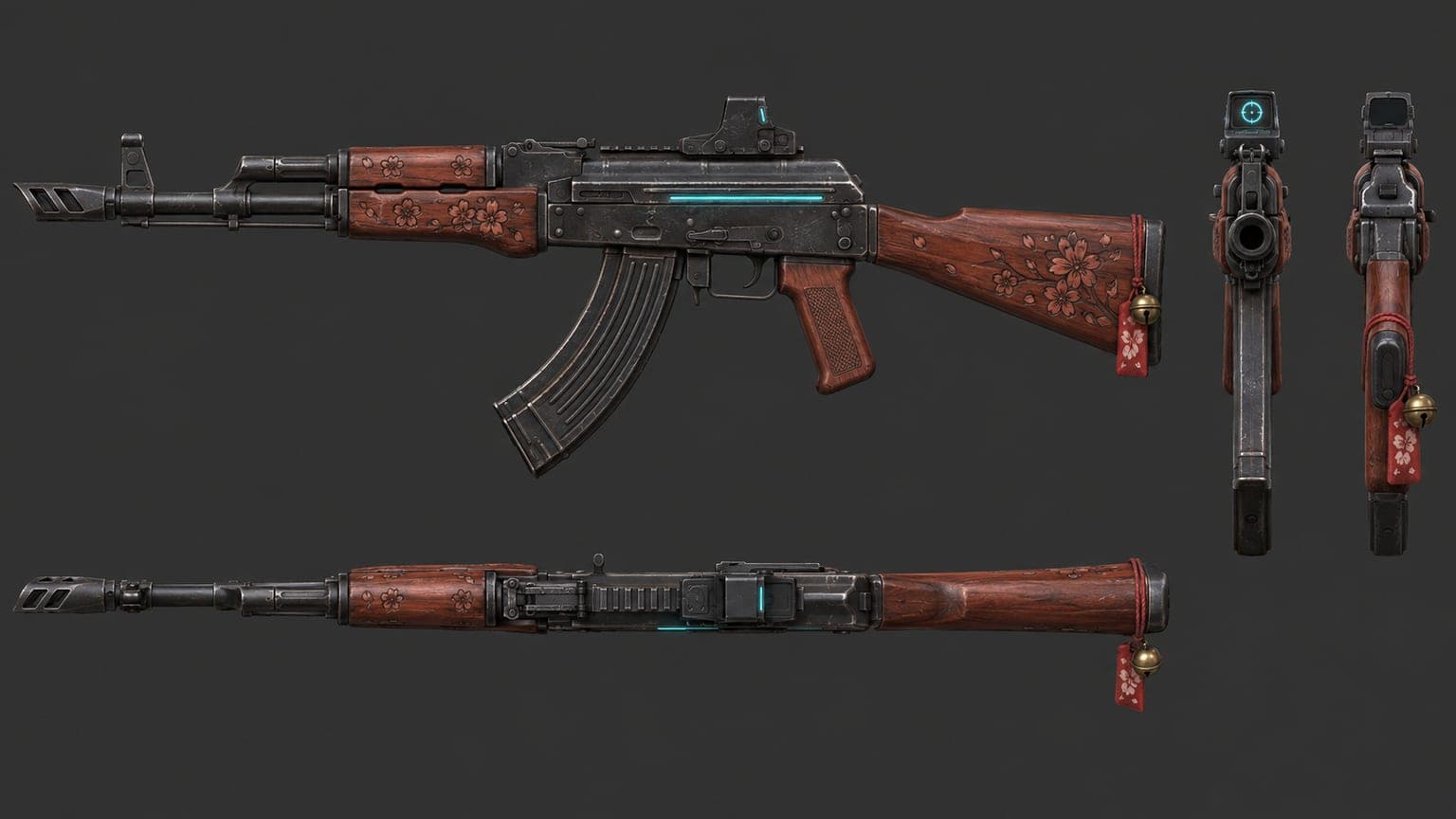
Asset handover contract · adapt the paths
Asset: [name]
Authoring source: assets/blender/[name].blend
Runtime export: game/public/models/[name].glb
Manifest entry: game/src/assetManifest.js
Record: bytes, SHA-256, triangles, textures and scale.
Check: the URL loads, the right object is visible,
and placement works from the player's camera.
Keep the source and export. Judge the Blender render separately.
Export GLB, then load it through the Three.js GLTFLoader. This example expects your export at public/models/landmark.glb and an existing scene:
Three.js · Official documentation
GLTFLoader
Import the loader addon, load an exported model and add its scene to your game.
threejs.org
Load the exported file
import { GLTFLoader } from 'three/addons/loaders/GLTFLoader.js'

const loader = new GLTFLoader()
const url = new URL('./models/landmark.glb', document.baseURI).href
const asset = await loader.loadAsync(url)
scene.add(asset.scene)
Keep a loading screen until required assets are ready, and show an error when an export fails. Test the URL from the published subdirectory. Add a physics engine only when an identified problem justifies it.
Give the scene a coherent polish pass
Pick a visual theme, then repeat its materials, shapes and sound cues. Make routes and objectives readable before increasing foliage or effects. Use InstancedMesh for repeated geometry and materials, and levels of detail for distant objects. Measure transparent grass, shadows and postprocessing too; fewer draw calls alone do not guarantee a faster frame.
Three.js · Official documentation
InstancedMesh
Reuse geometry and materials across many transforms to reduce draw calls for repeated scenery.
threejs.org
The Three.js postprocessing guide explains chaining effects and the final output pass. Add effects gradually; start with conventional lighting and fog before expensive volumetric clouds or water effects.
General game polish brief · adapt to your genre
Improve one playable scene; preserve its rules and controls.
Theme: [one visual world; recurring shapes, materials and sounds]
Readability: clear routes, objectives, silhouettes and interaction cues.
Lighting: consistent sun/key light, restrained fog and tone mapping.
Effects: try bloom or ambient occlusion one at a time; measure each pass.
Scenery: instance repeated props; simplify distant geometry and shadows.
Environment: add water, wind or weather only when the scene needs it.
Feel: responsive input, readable weapon placement and clear action feedback.
Audio: enable from Start; add relevant cues and a mute control.
HUD: show live objective, timer, health or score from actual game state.
Optional hazards: telegraph danger with shape, light and sound.
Acceptance: compare the same views and input tests before and after.
Retain an effect only if it improves play within the measured budget.
For shooting, check aim visibility, recoil, reload timing and hit feedback. For a racer, check steering, landing and checkpoint cues. A shrinking hazard is optional: make its boundary and timing understandable through the HUD, light and audio. Camera shake should be restrained and adjustable.
Set the frame budget on named hardware. A 60 FPS target gives roughly 16.7 milliseconds per frame; it is a target, not a result from this guide. Compare the same camera path and quality settings, including the busiest effects and entity count.
5. Count what the browser receives
My local runtime manifest points to seven GLBs totaling 49,343,116 file bytes. Ronin alone is 21,134,508 bytes; FL Tower is 11,356,176 and the Arc is 10,856,420. These are stored file sizes, not the bytes every view downloads.
Three assets account for most of the stored model bytes
21,134,508 bytes
Ronin · character
11,356,176 bytes
FL Tower · landmark
10,856,420 bytes
Arc plaza · landmark
The tower inspection loads one GLB. The district, square and alley inspections load two. Load what a scene needs, reuse geometry and materials, and measure before adding more postprocessing.
A useful external example is Jerome’s Blender-to-UEFN build. He reports optimizing 70 generated assets toward 5K or 1K triangles according to shape and size, then reusing modular parts. Those are his reported choices, not universal browser budgets.

“I asked Astra to optimize the generated assets to either 5K or 1K triangles, depending on their form and size.”
75,307 views · 659 likes · 665 bookmarks
Snapshot: . Saved receipt.
Read the full post on XThe post was published on 16 September. Its saved snapshot recorded 75,307 views, 659 likes and 665 bookmarks. Engagement measures interest; it does not validate performance. The local model sizes and hashes are available separately.
Measure a production-shaped run
npm run build
npm run preview
# Inspect this preview, not only the development server.
# Record model URLs, transfer bytes, ready time, frame times,
# draw calls, triangles and the rendering environment.
6. Save the same four views
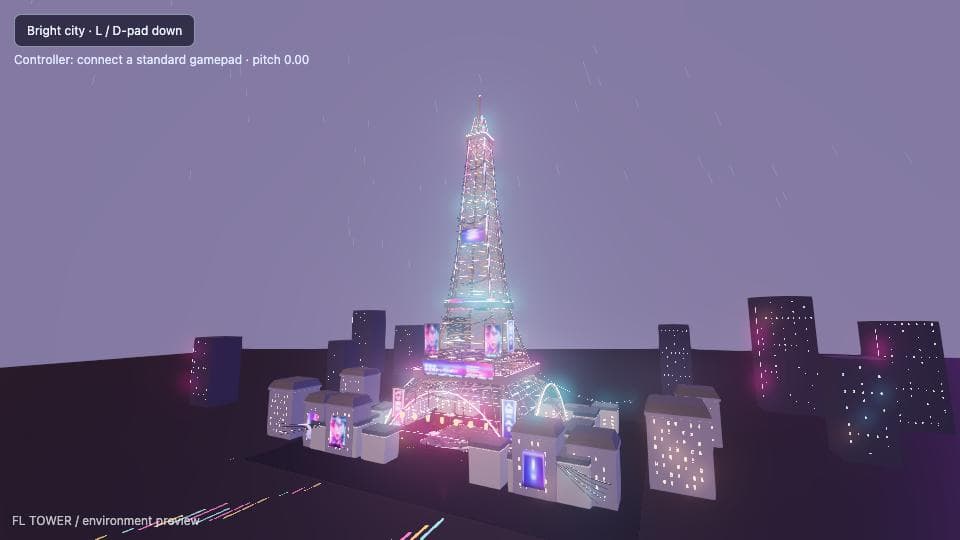
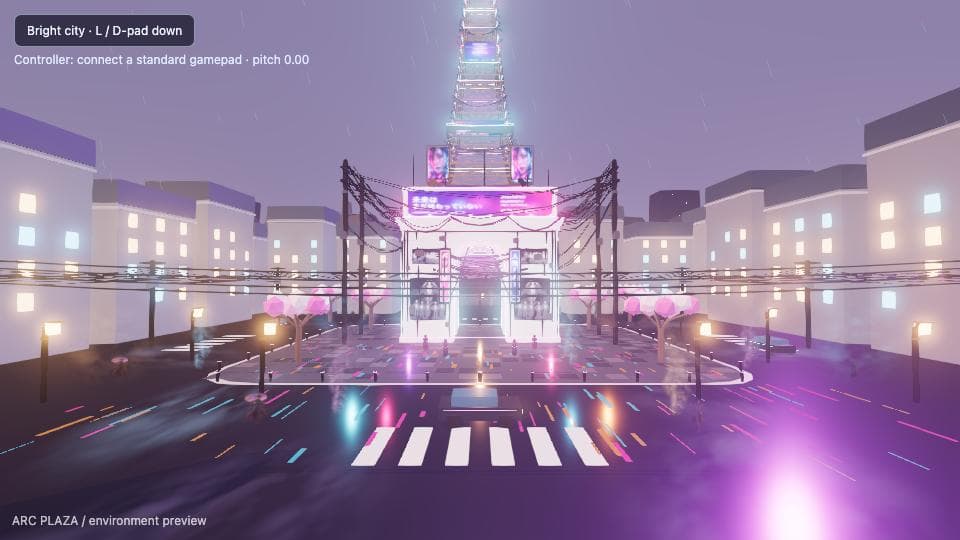
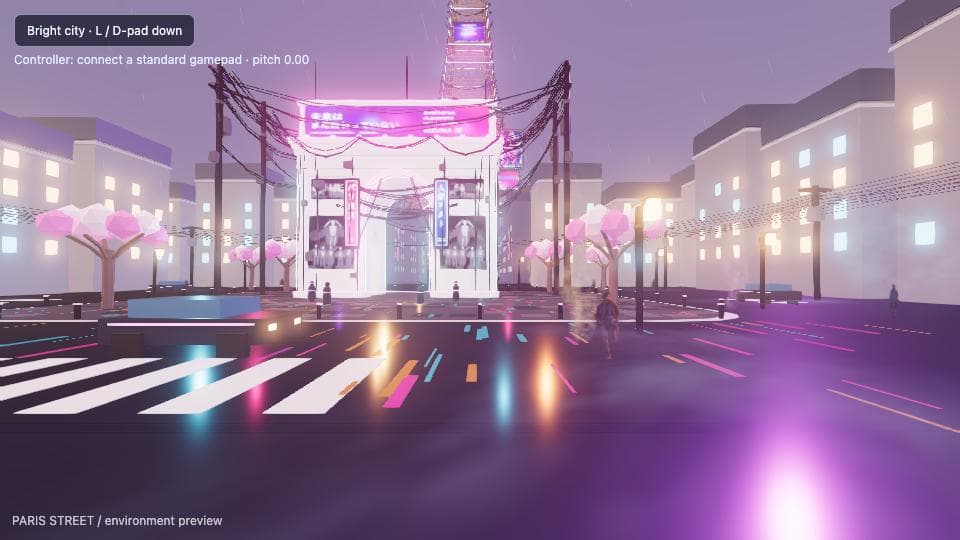
The standalone ParisRunner inspector now exists. On 30 September it captured tower, district, square and alley at 960 × 540, device scale 1, with 60 steady-frame samples per view. It waits for required assets and rendered frames, then saves screenshots, errors, requests and renderer measurements.

Run the existing inspector · my checkout
cd /Users/concerto_no21/dev/paris-game
node tools/inspect-game.mjs --out docs/audits/mini-game-baseline
# Use a new output directory for every run.
# Review the screenshots and metrics together.
Software headless baseline · milliseconds per frame
| View | Median | p95 |
|---|---|---|
| Tower | 66.7 ms | 100.0 ms |
| District | 133.3 ms | 150.1 ms |
| Square | 166.7 ms | 200.1 ms |
| Alley | 183.4 ms | 316.8 ms |
This run used Chromium 153.0.8010.12 and SwiftShader software rendering. These timings are a regression baseline for that environment. Measure real-player performance separately. The source was dirty at commit 34cd824, so this is a local development receipt, not a production-build benchmark.
All four views loaded their required models without recorded page exceptions, console errors or failed requests. That establishes capture health. It does not establish visual quality, working weapons or a measured improvement over an earlier build. The full inspection receipt contains camera transforms, readiness times, network bytes and environment.
Three.js · Official documentation
WebGLRenderer · info
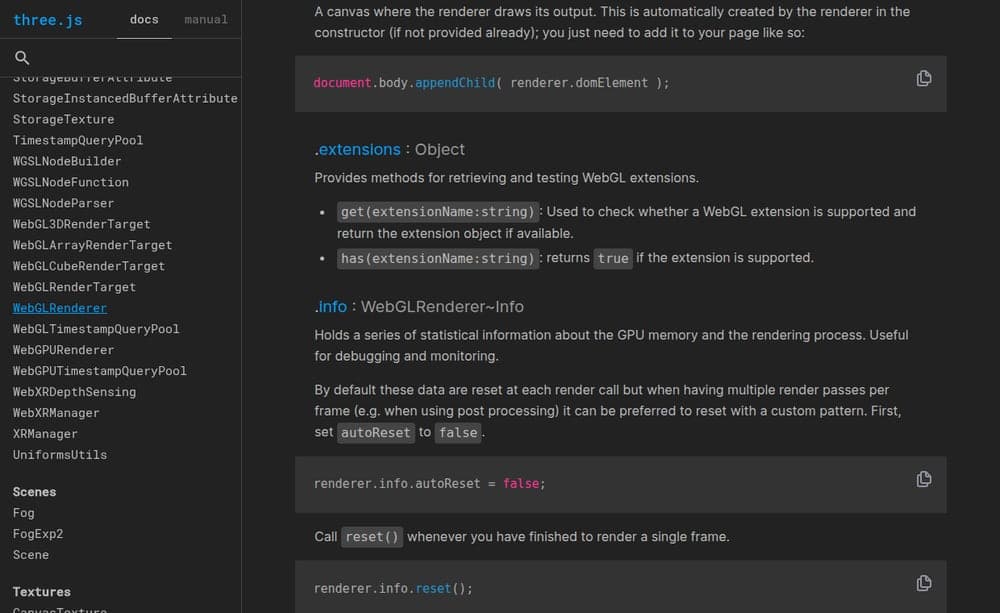
Rendering statistics and the manual reset needed to count a frame that uses multiple render passes.
threejs.org
When a frame has multiple passes, measure the complete frame. Three.js documents renderer.info.autoReset = false and a manual reset after those passes.
The visual improvement loop
A reference becomes useful when it is tied to a testable change. The five steps below turn taste into a bounded review: freeze the target, build one change, capture the game, review fresh, then keep or patch. This is a reusable recipe. ParisRunner’s standalone inspection is working; the asset labs and automatic review/promotion described here remain proposed.
Five steps · repeat only within the agreed budget
01
Freeze the target
References, constraints and budget.
02
Build one change
One owner, one isolated candidate.
03
Capture the game
Fixed views and verified exports.
04
Review fresh
Compare candidate with the best.
05
Keep or patch
Promote only after checks pass.
First, freeze the target before implementation. Keep approved front, three-quarter and detail references where relevant, plus their hashes. Specify silhouette, proportions, primary and secondary forms, materials, roughness, palette, lighting, scale, animation and gameplay readability. Set geometry, loading and frame budgets from the target device. “Make it look expensive” supplies no acceptance check.
Target specification · fill the project decisions
{
  "kind": "template-not-a-completed-run",
  "target": "arc-plaza",
  "approved_reference_paths": [
    "art/references/arc-plaza/front.png",
    "art/references/arc-plaza/three-quarter.png"
  ],
  "reference_hashes": null,
  "baseline_commit": null,
  "owner": null,
  "allowed_files": [],
  "preserve": [
    "Paris/cyberpunk identity",
    "landmark silhouette",
    "first-person controls",
    "canonical Blender sources"
  ],
  "rubric": [
    "silhouette and proportions",
    "primary and secondary forms",
    "scale and gameplay readability",
    "material roughness and surface detail",
    "palette, lighting and animation",
    "loading and rendering budgets"
  ],
  "hard_gates": {
    "asset_bytes_max": null,
    "triangles_max": null,
    "frame_p95_ms_max": null,
    "controls": "must pass"
  },
  "acceptance": null
}
Create a small asset lab for the thing you are changing. A character lab exposes silhouette and animation; a firing range exposes weapon placement, recoil and targets; a vehicle track exposes handling; a neutral showroom exposes materials. Each is a proposed test scene with fixed conditions. Finish in the real level too: an isolated weapon can look good and still block the player’s aim.
Choose the lab around the defect
| Change | Controlled scene | Final playable check |
|---|---|---|
| Character or rig | Fixed pose and animation loop | Scale, motion and collisions in the level |
| Weapon | Firing range with repeatable targets | Aim, fire, reload and switch |
| Vehicle | Known turns, ramps and stops | Handling on the actual route |
| Material or landmark | Neutral light and player-distance view | Readability in game lighting |
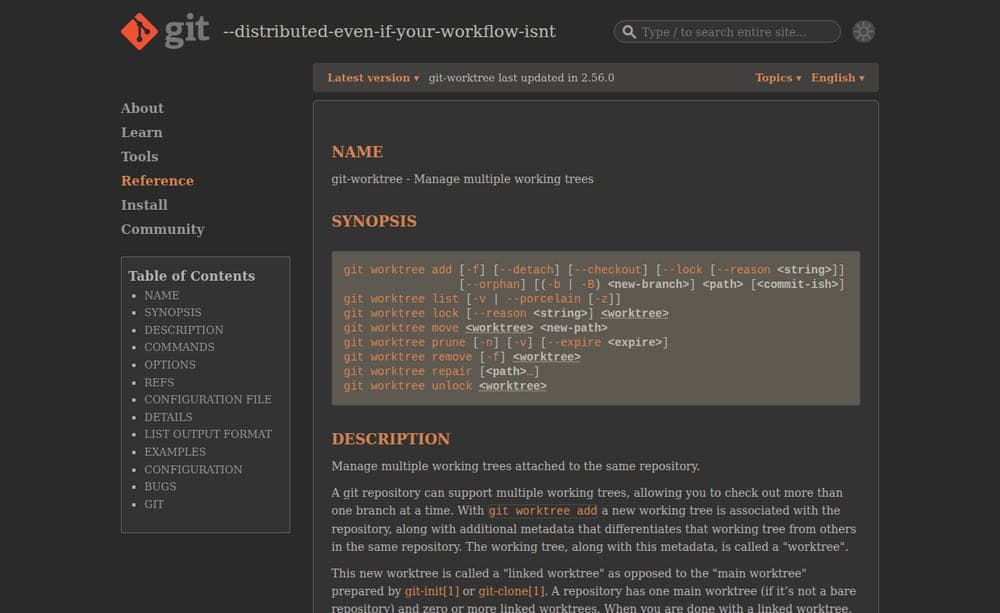
Give a risky change its own branch and Git worktree. Record the committed baseline and any dirty files first: a worktree at HEAD does not include uncommitted edits. Give one owner a bounded file list. Independent code can run in parallel; shared integration files and a Blender scene need sequential ownership. Integrate accepted candidates one at a time.
Git · Official documentation
git worktree
Separate working trees and branches for independently reviewed candidates in the same repository.
git-scm.com
One isolated candidate · adapt the branch and path
git status --short
git rev-parse HEAD
# Start from the recorded committed baseline; preserve dirty work.
git worktree add -b art/arc-readable ../game-arc-readable HEAD
# Adapt the branch and path. Integrate accepted commits one at a time.
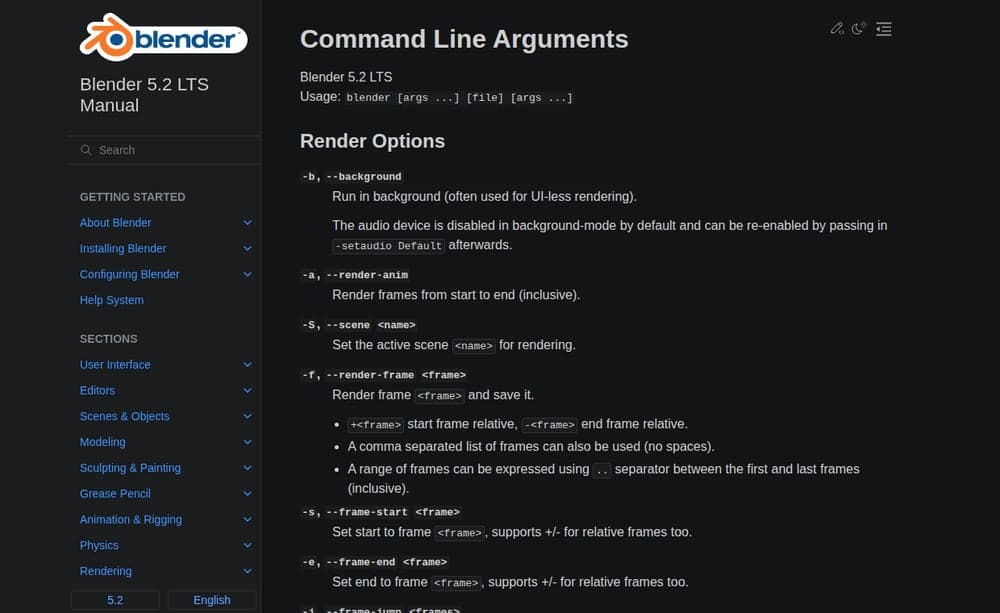
For authored assets, use a deterministic bpy patch on the canonical Blender source. Preserve its rig, edits and catalog identity. Starting from an empty scene is appropriate for a new procedural asset, not an existing modeled character. Blender’s command-line arguments execute in order; --python-exit-code 1 gives the watcher a failing exit code for script exceptions.
Blender Manual · Official documentation
Command Line Arguments
Background execution, Python scripts, error exit codes and the order in which Blender applies arguments.
docs.blender.org
Blender candidate command · write the asset patch first
blender -b art/generated/arc/source.blend \
  --python-exit-code 1 -P tools/blender/patch_asset.py \
  -- art/specs/arc.json
# Example contract: write the patch script for your asset first.
# It reads the spec after --, saves the candidate .blend and exports GLB.
Blender outputs and runtime verification contract
Work on the existing canonical .blend when the asset is modeled or rigged.
Use a deterministic bpy patch script; do not replace the source with a new empty scene.
Factory startup is an option only for a newly procedural asset.
Save the candidate source under its isolated worktree; preserve the approved source.
Record Blender version, script/spec hashes, source hash, export settings and output hashes.
Produce source.blend and the runtime GLB.
Produce front, three-quarter and gameplay-distance renders, wireframe and collider preview.
Write metrics.json: dimensions, evaluated triangles, materials, texture bytes and available LODs.
Update the catalog/runtime manifest in the integration step.
Confirm that the browser requests the intended GLB hash and the object is visible at player scale.
Keep Blender reference review separate from real-game visual review.
Require the editable source and GLB, front and three-quarter renders, a gameplay-distance render, wireframe, collider preview and metrics: dimensions, evaluated triangles, materials, textures and LODs. Save script/spec/export hashes. After integration, verify the intended GLB is requested and visible in the browser at player scale. Keep the Blender reference judge separate from the game reviewer.
Freeze the capture: camera transform, FOV, viewport, device scale, pose, time of day, weather, random seed, LOD and postprocessing. Disable dynamic resolution for comparisons. Wait for required assets and completed rendered frames. Save loaded model URLs and hashes, transferred bytes, readiness time, median/p95 frame times, draw calls, triangles, errors, build identity and the rendering environment. A screenshot without this context can hide a changed test.
Deterministic capture manifest · null means not recorded
{
  "kind": "template-not-a-completed-run",
  "run_id": null,
  "view": "arc-plaza",
  "identity": {
    "commit": null,
    "dirty_files": [],
    "build_hash": null,
    "asset_manifest_hash": null
  },
  "camera": {
    "position": null,
    "quaternion": null,
    "fov_degrees": null
  },
  "viewport": {
    "width": 960,
    "height": 540,
    "device_scale": 1
  },
  "scene": {
    "seed": null,
    "time_of_day": null,
    "weather": null,
    "animation_pose": null,
    "lod_policy": null,
    "postprocessing": null,
    "dynamic_resolution": false
  },
  "readiness": {
    "required_asset_urls": [],
    "loaded_asset_hashes": null,
    "ready_time_ms": null,
    "settled_rendered_frames": null
  },
  "environment": {
    "browser_version": null,
    "os": null,
    "gpu": null,
    "webgl_renderer": null,
    "driver": null,
    "launch_flags": []
  },
  "measurements": {
    "sample_count": null,
    "median_frame_ms": null,
    "p95_frame_ms": null,
    "draw_calls": null,
    "triangles": null,
    "transferred_bytes": null
  },
  "errors": {
    "page": [],
    "console": [],
    "failed_requests": [],
    "missing_assets": []
  },
  "artifacts": {
    "screenshot": null,
    "network_receipt": null,
    "metrics": null
  }
}
A plain script watches exit status, errors, output files and hashes. It calls the model when new evidence is ready. Keep full-resolution originals, then send one comparison around 768 pixels wide. A fresh critic receives only the approved target, rubric, constraints, metrics and the same-view best/candidate captures. Leave out builder explanations and earlier review prose. The critic is read-only.
Fresh reviewer contract
You are a fresh, read-only visual reviewer.
Receive only approved references, rubric, constraints, current metrics and same-view best/candidate captures.
Do not receive worker explanations or earlier reviewer prose.
Check capture validity first: readiness, camera, pose, settings, assets and renderer must match.
If invalid, return capture-invalid; request a capture fix before a game patch.
Judge silhouette, forms, materials, readability, animation and visual cohesion against the frozen target.
Check hard budgets and runtime errors separately from taste.
Return improved, unchanged or regressed with concrete evidence paths.
Return at most three prioritized deltas with area, observed defect, intended correction and acceptance.
Do not invent precise percentages unless a measurement supports them.
Do not modify files. A model score is advisory; the integrator owns promotion.
Review result template · no verdict has been filled in
{
  "kind": "template-not-a-completed-review",
  "decision": null,
  "best_run": null,
  "candidate_run": null,
  "comparison": "same view, settings and environment",
  "hard_failures": [],
  "strengths": [],
  "top_deltas": [],
  "evidence_paths": [],
  "notes": "Set decision to improved, unchanged, regressed or capture-invalid. Return at most three precise deltas. A score alone cannot approve promotion."
}
Ask for at most three precise deltas: the visible defect, the intended correction and its check. “The weapon covers the target when aiming; lower its idle placement while preserving the sights” is actionable. A claimed proportion error needs a measurement; a score alone cannot promote a candidate.
Keep the best verified version, not simply the latest. Compare it directly with the candidate under identical conditions. Promote only when the visual result improves and controls, loading, performance budgets, tests and build pass. Fresh model scores vary, so a lower number alone is not a reason to reset shared work. Preserve the best commit, build, asset hashes and captures; keep rejected candidates isolated.
Use the guide’s strict default: three executions, two consecutive attempts without improvement, or a material regression. Stop on a failed step. Five hours can be an additional session ceiling; it never overrides an earlier limit. The wrapper also needs a total token/cost cap and a per-run turn cap. Finish with a side-by-side report and remaining deficiencies, then check visual cohesion in the real game.
Bounded visual orchestrator brief
You coordinate one visual improvement to an existing browser game.
Start from the canonical checkout, instructions, task board and approved target.
Record the baseline commit, dirty files, build and asset identities.
Give one worker one scope in its own branch/worktree; do not touch unrelated files.
Never let two workers edit the same Blender scene or integration file.
Use Three.js for runtime behavior; patch the canonical Blender source for modeled assets.
Freeze camera, FOV, viewport, DPR, pose, lighting, weather, seed, LOD and effects.
Wait for required exports and settled rendered frames, then capture the real game.
Save full-resolution captures and metrics; send one compact comparison around 768 px.
Have a script watch exit status, errors, outputs and hashes. Call the critic only on new evidence.
Give a fresh read-only critic targets, rubric, constraints, metrics and best/candidate captures.
Exclude builder explanations and previous review prose. Require evidence paths.
Return improved, unchanged, regressed or capture-invalid, with at most three precise deltas.
Patch only the highest-value deltas. Diagnose capture infrastructure before altering game art.
Promote only after paired visual review, asset budgets, controls, tests and build pass.
Preserve best commit, build, asset hashes and captures. Keep rejected candidates isolated.
Do not reset a shared checkout or treat a changing model score as automatic rollback.
Default limits: three executions, two consecutive attempts without improvement.
Stop immediately on a failed step or material regression. Never retry indefinitely.
Optional session ceiling: five hours; any earlier execution or error limit still wins.
Builder cap: 30 turns per CLI run. Configure a total token/cost cap in the wrapper.
Do not start unattended until the wrapper can enforce every configured limit.
Begin with one capture job and one Blender render at a time; increase only after measuring capacity.
After asset-lab checks, verify cohesion and real input in the playable scene.
At the end, keep the best verified result, produce a side-by-side report and list remaining work.
Commit or publish only within the repository's existing authorization rules.
Download the complete visual review kit: target spec, capture manifest, review result, feedback example, builder/reviewer contracts and a README with adaptation steps. The eight templates include a SHA-256 manifest. They are starting contracts, not a preinstalled automation service. Fill empty fields from the actual project.
Verify the capture machine before changing the art
Headless Chrome can use a hardware GPU on supported setups. Chromium’s guidance explains that configuration matters. Record the actual GPU, driver, WebGL renderer, browser and launch flags, then compare representative shaders with the player’s browser. A broken capture is an infrastructure issue until reproduced in the game.
Chromium · Official documentation
Using GPU Hardware in Headless Chrome
Hardware rendering can work in headless Chrome on supported configurations. Verify the backend rather than assuming it.
chromium.googlesource.com
Keep software-rendered timings separate from real-player performance. A changed GPU, driver or quality preset needs a new baseline. If shadows, foliage or transparency disappear only in the capture environment, fix that environment before sending an art patch to the worker.
Queue expensive GPU work. Start with one browser capture and one Blender render at a time, then measure GPU memory, RAM and reliability before raising concurrency. Those are initial queue caps, not a claim about this VPS’s capacity. Parallel coding can continue while capture jobs wait. Remote workers and a forwarded preview can keep long runs off a sleeping Mac; verify the renderer wherever the game runs.
Turn player feedback into reproducible tasks
Use your playtest notes, or a transcript you deliberately provide. Attach the timecode, build, location and screenshot to each observation. Separate “this street feels empty” from a confirmed defect and from a proposed fix. Reproduce and deduplicate before assigning work; large art-direction changes belong in a backlog decision.
Feedback into the same review loop
01
Player note
Save the observation and context.
02
Reproduce
Attach a build, view and evidence.
03
Classify
Small fix or design decision.
04
Review
Apply the same capture and gates.
Player feedback record · proposed example
{
  "kind": "proposed-feedback-example",
  "area": "arc-plaza",
  "category": "environment-art",
  "observation": "The street feels empty from the player camera.",
  "requested_change": "Test a small set of props that preserve the walkable route.",
  "source": {
    "type": "player-note",
    "transcript_path": null,
    "timecode": null
  },
  "build": null,
  "view": null,
  "evidence_paths": [],
  "reproduced": false,
  "requires_art_direction_decision": false,
  "status": "needs-reproduction"
}
Separate character, environment, architecture, weapon, animation, UI, audio and performance reviews when their tests differ. Keep each target and scope small. After those checks, review the whole playable scene for a consistent identity. More workers help only when ownership and verification remain clear.
7. Give one change to one owner
One mistake in this project was two names for one checkout. Older Molly guidance treated 3d-game and paris-game as separate prototypes. One was a compatibility symlink. Resolve the paths before assigning work, then inspect the current code instead of trusting an old plan.
The two-name trap · verified local paths
realpath /Users/concerto_no21/dev/3d-game
realpath /Users/concerto_no21/dev/paris-game
# Both resolve to /Users/concerto_no21/dev/paris-game.

git status --short
git rev-parse HEAD
# Record dirty files as well as the commit.
Molly coordinates the task board in GlassTerm. Send her short summaries and evidence paths. Send screenshots to the reviewer and relevant code to the worker. Parallel work needs independent files; one Blender scene gets one editor at a time.
Game worker boundaries · assign only independent work
World/assets: own [scene files or one Blender scene]; preserve landmarks.
Controller: own [input/camera files]; verify movement and pause.
Rules/network: own [round/server files]; verify authoritative outcomes.
HUD/audio: own [UI/audio files]; read the agreed game-state contract.
Reviewer: inspect saved captures and checks; report evidence and regressions.
Coordinator: sequence shared-file work; record owner, scope and acceptance.
Start with one finished slice. Add workers only when ownership is independent.
Never let two workers edit the same scene or shared integration file.
One scoped execution task
Issue: [what the saved view shows]
Owner: [one worker]
Files / assets: [bounded list]
Baseline: [capture + metrics + build identity]
Change: [one intended improvement]
Acceptance: [visual result + controls + loading/frame budget]
Result: improved / unchanged / regressed
Evidence: [new capture and comparison paths]
Shipped requires a checked production build.
Each progress claim needs different evidence
01
Assigned
Instruction delivered to its owner.
02
Implemented
The scoped files changed.
03
Verified
The relevant checks passed.
04
Shipped
Production published and checked.
Keep at most five evidence-backed findings and select at most three executions. Rerun the same inspection after each change. Stop after three executions, two consecutive attempts without improvement, or a material regression. Preserve earlier captures and the best verified result.
Practical traps: save the model for judgment
If the Mac sleeps, local agents stop progressing. Run caffeinate -i while working, or wrap the bounded command below. It prevents idle system sleep while the command runs.
Blender does not need its window open. Its command-line interface can render and check a scene in the background. Replace these example filenames with your actual scene and script:
Headless Blender · adapt the files
blender -b file.blend -P script.pyLet a plain script watch process exit, errors and artifact hashes. Call the model only after a finished render or changed file needs judgment. Keep the full-resolution captures, but send one street/reference comparison around 768 pixels wide per review loop.
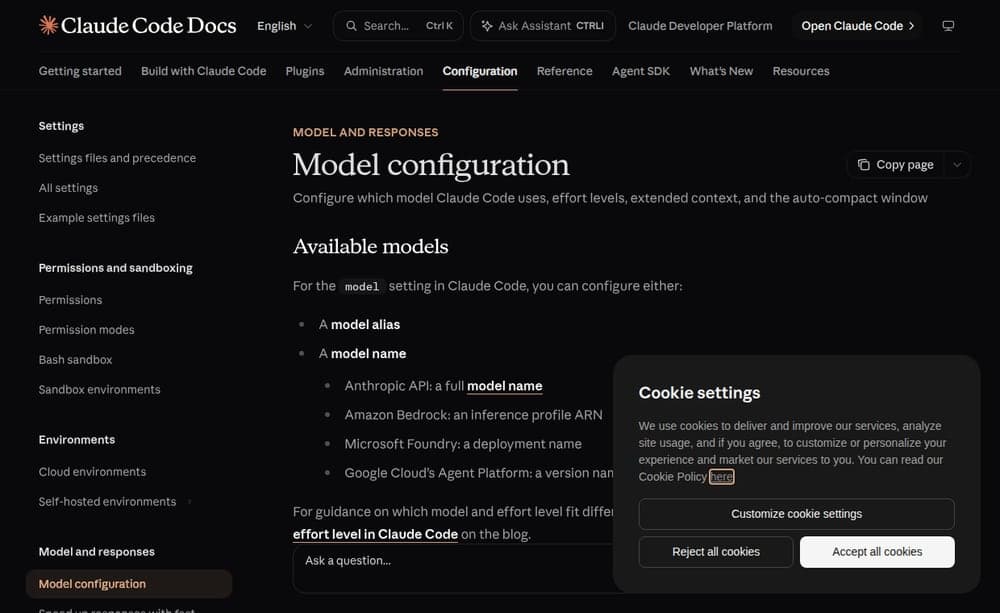
Split the work: Sonnet 5.5 for bounded implementation, Haiku 4.5 for simple checks and finished-log summaries. Anthropic lists both in its model catalog. The sonnet alias resolves differently by provider. Sonnet 5.5 requires Claude Code 2.1.284 or later. Confirm account availability and the resolved model; preserve explicit pane choices. Pin claude-sonnet-5-5 when that exact version matters.
Claude Code · Official documentation
Model configuration
Model aliases, provider-specific resolution, version requirements and explicit model selection.
code.claude.com
Bounded Mac session · sonnet resolves the current model
caffeinate -i claude -p "Implement one scoped task, verify it, then stop." \
  --model sonnet --max-turns 30 --output-format json > run.json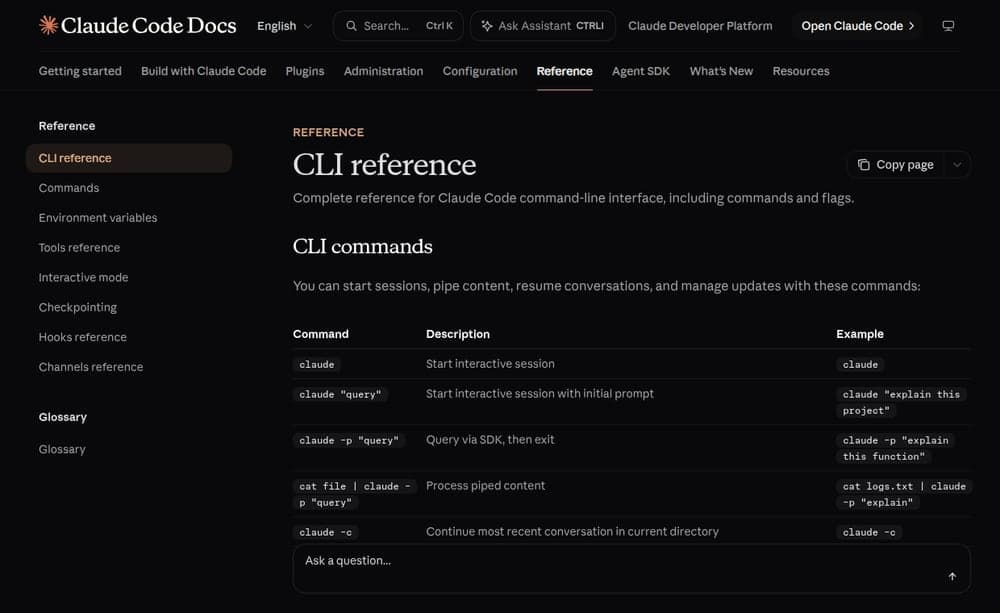
Claude Code · Official documentation
CLI reference
Print mode, explicit model choices, structured reports and a hard turn limit for a single run.
code.claude.com
A Claude Code checker subagent can use this file at .claude/agents/review-check.md. Invoke it only when the script has new evidence:
Read-only checker subagent
---
name: review-check
description: Summarize completed game and Blender checks.
model: haiku
tools: Read, Grep, Glob
maxTurns: 5
---
Read the completed check report and the changed artifact paths.
Report errors, missing output and the relevant acceptance result.
Do not poll, modify files or declare a visual improvement from logs.
Set a hard nightly limit in the wrapper: at most three review loops, 30 builder turns per run and two consecutive attempts without improvement. Stop on an error or material regression, and preserve the best verified result. --max-turns limits one CLI run; the wrapper must enforce the total loop count.
8. Publish the build, then play it
Run the project’s tests and production build. For the starter, publish dist/; its relative asset base supports a nested URL. Check the published page with an empty cache, then play the round again. For ParisRunner, verify movement, pointer lock, weapon switching, firing and reload separately from fixed-camera captures.
Starter release commands
npm ci
npm run build
npm run preview
# Publish dist/ after checking the production preview.
# Recheck the published URL and asset requests.
The starter has no backend or per-round AI call. Its GLB count is zero. Generation, asset authoring and coding happen outside the player’s session. Hosting and generation costs depend on your provider and subscription; this guide makes no invented cost or frame-rate promise.
A Blender render can certify an asset review. A green build can certify compilation. Finish the playable check before reporting that the game improved.
Add multiplayer when the game needs it
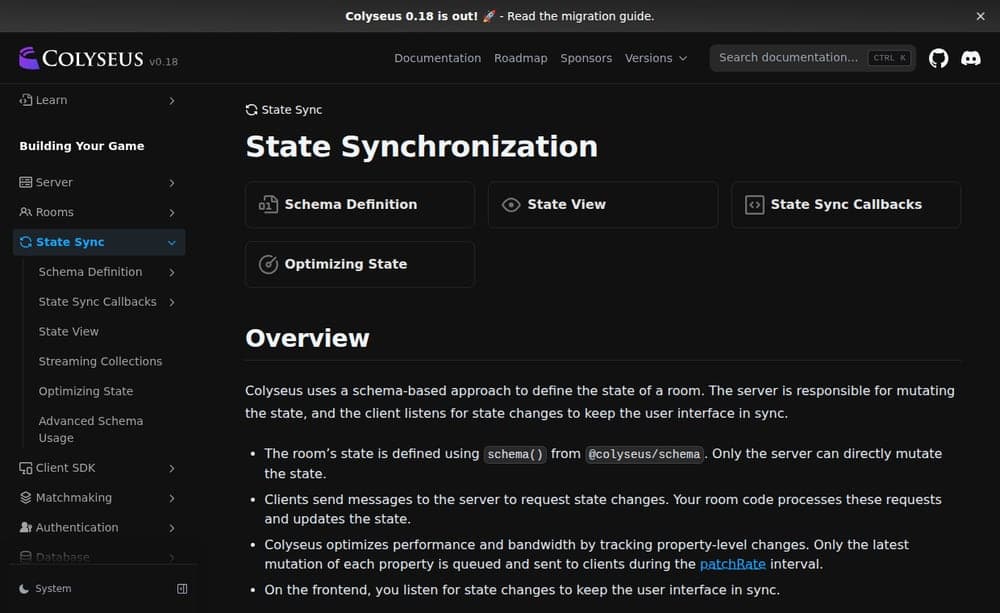
Run a small shared room before raising the player limit. Colyseus provides synchronized room state. Socket.IO provides bidirectional events; you implement the game simulation and state contract. Pick one approach. Express can handle HTTP routes, but it does not supply multiplayer authority.
Colyseus · Official documentation
State Synchronization
Server-owned room state, client messages and synchronized changes for a multiplayer game.
docs.colyseus.io
The client handles input, presentation and any prediction. The server validates actions and owns positions, health, scores, round timing and shared hazards. Interpolate remote updates and reconcile prediction when the server disagrees. Server authority reduces trust in clients; it does not eliminate cheating. Define matchmaking, room capacity and reconnect behavior explicitly.
Multiplayer release contract · proposed acceptance checks
[ ] Two separate clients can join the same room and finish a round.
[ ] Clients send inputs/actions; the server validates and owns results.
[ ] Server checks movement limits, hits, damage, cooldowns and scoring.
[ ] Remote movement is interpolated; local corrections remain playable.
[ ] Late join, disconnect, reconnect and room cleanup have defined behavior.
[ ] Bots are identified and do not count as tested human connections.
[ ] HUD, round timer and any hazard zone follow authoritative state.
[ ] Test latency, packet loss and the declared connection target.
[ ] Record server tick time, bandwidth and client frame times separately.
[ ] HTTPS/WSS, permitted origins and production reconnects are verified.
Raise the room limit only after this contract passes under load.
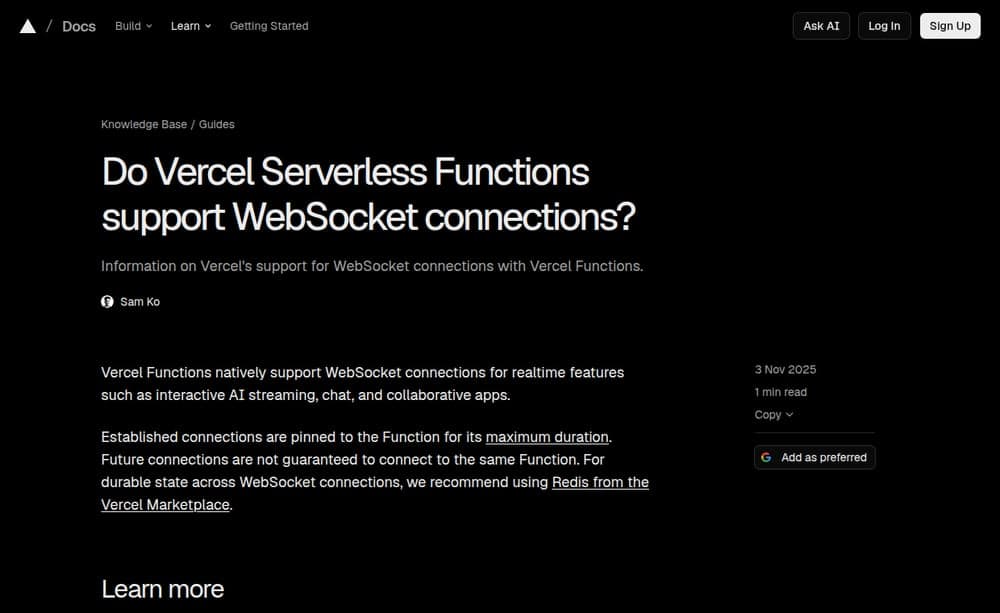
Publish the static client separately from the live room service. A persistent Node.js process on a VPS or container host is one practical option. Verify the provider’s WebSocket support, connection lifetime, room routing and state storage. Vercel’s current guidance supports WebSockets but bounds connections by function duration, with no guarantee future connections reach the same function. Plan durable room state and recovery accordingly.
Vercel · Official documentation
WebSocket connections on Vercel Functions
Connection lifetime, function routing and durable state considerations for real-time hosting.
vercel.com
An online game has browser rendering and server-owned shared state. Measure real concurrent connections, server simulation and network traffic. Test remote connections separately from local entities and bots before quoting room capacity.
The GlassTerm implementation brief
For an existing project, the complete coordinator-and-game brief is below. It instructs an agent to inspect, implement and verify. It does not claim that all requested changes have already shipped. Its paths belong to my checkout; adapt them to yours.
Open the complete, copyable GlassTerm prompt
GlassTerm → ParisRunner2026
Upgrade GlassTerm so Molly can coordinate reliable, visually verified improvements to ParisRunner2026. Then use that workflow to deliver one meaningful game upgrade.

Establish a baseline for visual polish, procedural construction, animation, lighting and performance from the existing playable game. Retain ParisRunner2026’s Paris/cyberpunk identity, first-person gameplay, Ronin character, weapons, controls, Arc plaza and FL Tower.

Projects:
- GlassTerm: /Users/concerto_no21/dev/glassterm
- ParisRunner2026: /Users/concerto_no21/dev/paris-game
- Game code: /Users/concerto_no21/dev/paris-game/game

Read each project’s instructions and inspect current code, Git state and existing plans before changing anything. Follow the repository’s approval and restart requirements.

1. Establish the actual baseline

Inspect GlassTerm’s Molly routing, task board, agent dispatch, model selection, completion handling and preview tools.

Inspect ParisRunner2026’s renderer, camera, movement, asset loading, lighting, materials and publishing pipeline.

Read the existing game-inspector plan and Blender workflow. Reconcile their assumptions with the current project state. Reuse working implementation.

Resolve project paths with realpath. Fix outdated Molly guidance that treats 3d-game and paris-game as separate prototypes if they now resolve to the same canonical project.

Verify which models the authenticated CLI actually supports. Sonnet 5.5 is a preferred implementation option when available. Preserve explicit per-pane model choices and report the actual resolved model.

Return a concrete plan with exact files, acceptance checks and Electron restart requirements before the implementation phase.

2. Improve GlassTerm’s existing orchestration

Use Molly as the coordinator and the existing task board as the source of task ownership.

Give each execution task one owner and a bounded scope. Allow parallel work only for independent files or assets. Only one agent may modify a Blender scene at a time.

Keep Molly’s context compact: task summaries, results, errors and artifact paths. Send screenshots and relevant code directly to the worker or reviewer that needs them.

Make reported progress evidence-based:
- Assigned means an instruction was delivered.
- Implemented means files changed.
- Verified means the relevant checks passed.
- Shipped means the intended production build was published and checked.

Reuse existing dispatch deduplication, refusal handling and completion guards. Fix demonstrated gaps instead of adding another orchestration framework.

Persist enough task state to resume after interruptions without repeating completed work.

3. Implement a game review loop

Start with the existing standalone game-inspector proposal. Make it work independently before connecting it to Molly.

Capture four repeatable views:
- Arc plaza
- FL Tower
- Playable square
- Street/alley

Use fixed camera transforms, viewport, device scale and scene conditions. Wait for required assets and rendered frames before capturing.

Record:
- Screenshots
- Page exceptions and console errors
- Failed requests and missing assets
- Loaded model URLs and transferred bytes
- Asset-ready time
- Median frame time and p95 frame time
- Draw calls and triangles
- Commit/build identity and browser/rendering environment

Treat headless performance as a regression measurement for that environment. Keep it separate from real-player performance.

Review the saved screenshots and metrics. Produce at most five evidence-backed findings and select at most three ordered execution tasks.

Every task must identify the issue, owner, files/assets, baseline, intended improvement and acceptance check.

After each task, rerun the same inspection. Record improved, unchanged or regressed, with evidence paths.

Stop after three executions, two consecutive attempts without improvement, or a material regression. Report remaining work honestly. Preserve previous captures and the best verified result.

4. Choose the right tool for each game issue

Use Three.js code for lighting, atmosphere, camera behavior, procedural props, animation logic and runtime optimization.

Use Blender for changes to existing modeled or rigged assets where it is the appropriate authoring tool.

Preserve the canonical Blender sources, asset catalog and runtime manifest. Verify that an exported asset is actually loaded and visible in the game.

Keep the Blender reference-match judge separate from the browser game reviewer. A successful Blender render does not establish that the playable game improved.

Consider postprocessing, ambient occlusion, bloom, fog and color grading where they improve readability and appearance within the measured performance budget.

Add Rapier only if an identified physics problem justifies it.

5. Deliver the first visible improvement

Use the baseline inspection to choose the highest-impact area. Finish one coherent, playable improvement before expanding the map or starting several cosmetic tasks.

Prioritize:
- Recognizable Paris landmarks and readable streets
- Consistent lighting and materials
- Responsive camera and movement
- Clear weapon placement and animation
- Efficient loading and rendering

Verify the actual playable scene in Chrome, including pointer lock, movement and weapon controls. Respect GlassTerm’s existing embedded-preview pointer-lock protection.

6. Validate and hand over

For GlassTerm, run relevant regression tests, npm test and npm run build. Run test:floor after main-process changes and test:filecard if file cards change.

For ParisRunner2026, run its tests, production build and repeatable browser inspection.

Protect active agent sessions before any GlassTerm restart. Apply main/preload changes in one controlled restart batch.

Deliver:
- Exact changes and their purpose
- Before/after screenshots
- Before/after measurements
- Test and build results
- Changed files and asset identities
- Remaining issues
- A working local preview
- Packaging or publication steps still awaiting authorization

Complete the approved implementation and verification. A plan, successful agent dispatch or HTTP 200 response alone is not completion.
Play ParisRunner2026 to see the existing city, Ronin and weapons. Use the starter to practice finishing a round, then apply the same evidence checks to a richer scene.
Keep this beside the coding pane
Copy the complete handover checklist
Round: goal / timer / win / loss / restart
Input: start gesture / mouse / movement / pause / resume
Assets: canonical sources / exported hashes / loaded URLs
Review: four fixed views / errors / loading / frame measurements
Change: one owner / one issue / before and after / acceptance
Release: tests / build / nested asset paths / published controls
Homepage: latest title / article URL / cover match the post
State: assigned / implemented / verified / shipped, with evidence- 01Finish one round with primitive geometry.
- 02Preserve VPS references and canonical Blender sources.
- 03Load the intended exports and measure what arrives.
- 04Compare the same views after one scoped change.
- 05Play the published build before calling it shipped.
The round is the product. The evidence tells you whether it works.