

ClipLab
macOS 13+·Apple Silicon·no subscription
Long video. Short clips.
Bring in a long recording, choose the moments worth sharing, and export vertical clips with readable captions. You keep control of every cut, and the video stays on your Mac.
- $99once
- Local videostays on your Mac
- Apple SiliconmacOS 13+
Stripe takes the card. Your download appears on this page the moment the payment clears.
01 · BRING IT IN
Start with a long video
Use a local file or YouTube link
02 · SHAPE IT
Choose the best moments
Change the cut and captions
03 · SHARE IT
Export vertical clips
Ready for the places you post
The idea
What ClipLab is
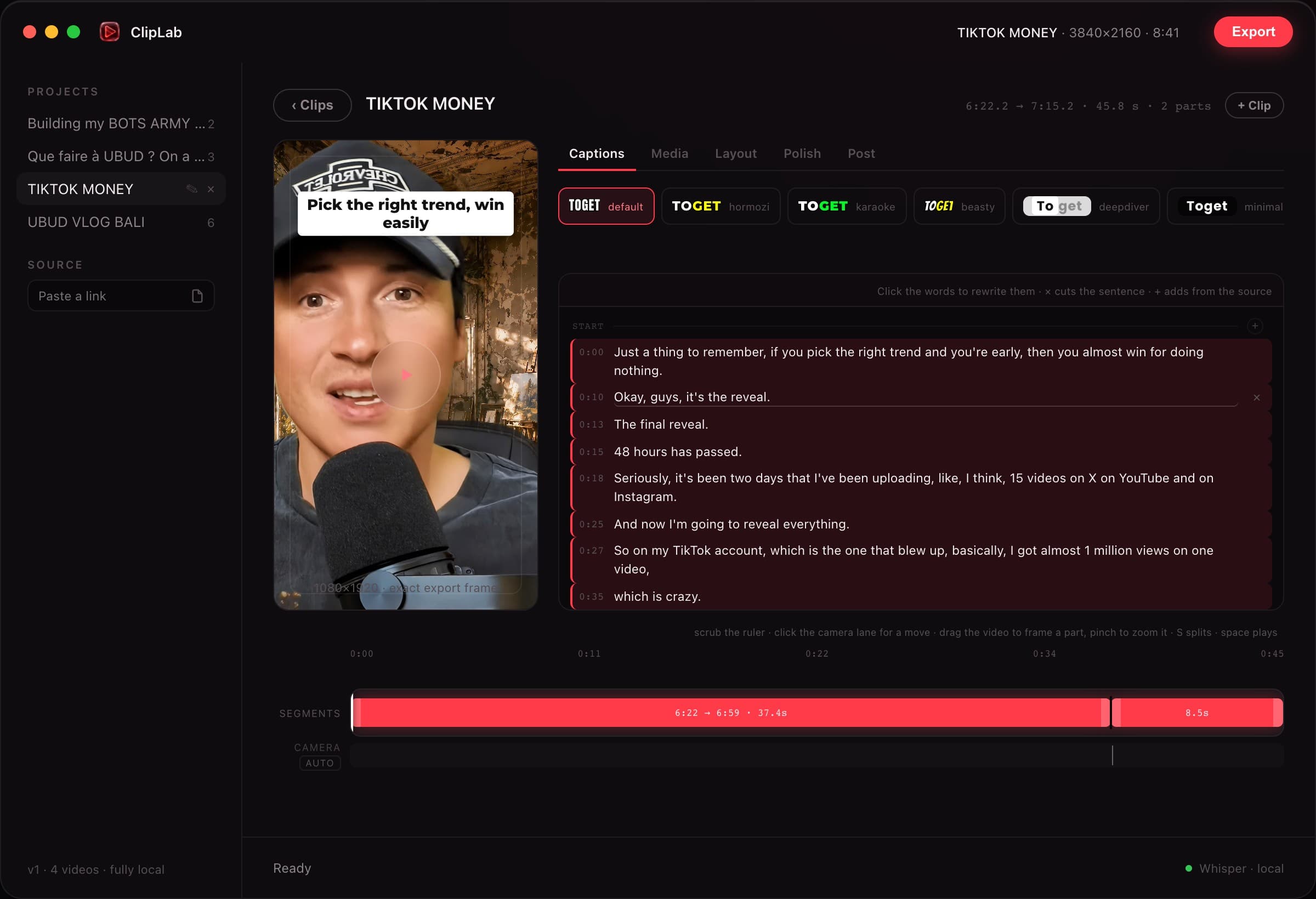
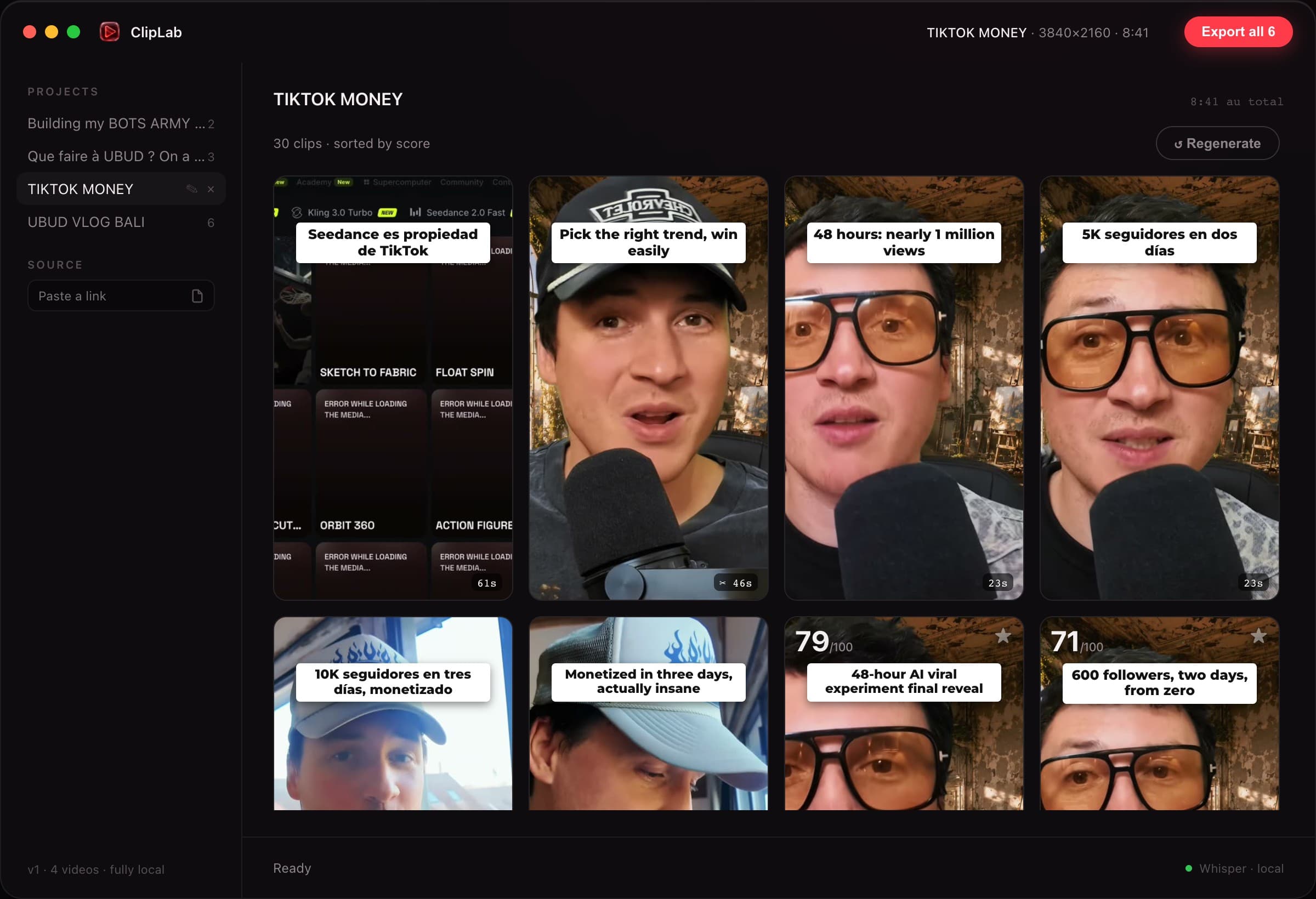
Open a local video or bring in a YouTube link. ClipLab helps you find shareable moments, then gives you an editor to change the timing, framing, captions and look.
Keep the suggestions you like and change the rest. Your source video and exported clips stay on your Mac. Optional AI text features use your own provider accounts.
Capabilities
What it does
Find the moments
Start with suggested highlights from a long recording, then choose the moments that fit your audience.
Keep the speaker in frame
Create vertical framing that follows the person on screen, with manual controls when you want a different shot.
Make every word readable
Add word-by-word captions and choose from eight visual styles.
Finish the edit
Adjust timing and add music, overlays or hook cards before export.
Pick up where you left off
Your project edits are saved locally, so you can return to a clip and keep refining it.
Export for vertical feeds
Produce 1080 × 1920 clips with burned captions and a matching subtitle file.
Where your material goes
Your data, on your terms
Stays on your Mac
- Original video
- Clip editing and framing
- Captions on the video
- Finished exports
Connections you choose
Transcript excerpts for optional suggestions
Sent to Anthropic, only when you enable those features with your key
Text for optional AI suggestions
Sent to TypeSafe, only when you enable it with your key
Before you buy
What you need to know
| Before you buy | What to know |
|---|---|
| Mac | Apple Silicon Mac running macOS 13 or newer. |
| Setup | Two free Homebrew media tools are required. ClipLab shows the exact install command. |
| YouTube links | An additional free tool is needed for YouTube imports. Local files work without it. |
| Optional AI | Anthropic and TypeSafe features use your own keys and may incur provider charges. |
| Export | 1080 × 1920 video with a matching subtitle file. |
Current limits
Know before you buy
- The required media tools are installed separately on first launch.
- YouTube imports need an additional free tool; local video files do not.
- Optional AI suggestions need your own provider keys. Manual editing works without them.
Price
$99, once
One payment for the Mac app and new builds while it is maintained. Your purchase link gives you the current download whenever a new version is published.
Included
- ClipLab for Apple Silicon Macs, paid once.
- Local clip editing, captions, framing and exports.
- New builds through your purchase link while ClipLab is maintained.
Not included
- The free media tools that you install separately with Homebrew.
- Optional Anthropic and TypeSafe API usage on your own keys.
Delivery & updates
Download ClipLab for Mac
After payment, your personal link opens the signed, notarized Mac download. Keep that link for the current build whenever a new version is published. Replace the app in Applications to update.