

RecordLab
macOS 14+·Intel + Apple Silicon·no subscription
Record once. Refine later.
Capture the screen and optional camera, then shape the framing, pace and look after the take. Export a finished demo without uploading your footage to a cloud editor.
- $149once
- Local recordingstays on your Mac
- NotarizedIntel + Apple Silicon
Stripe takes the card. Your download appears on this page the moment the payment clears.
The idea
What RecordLab is
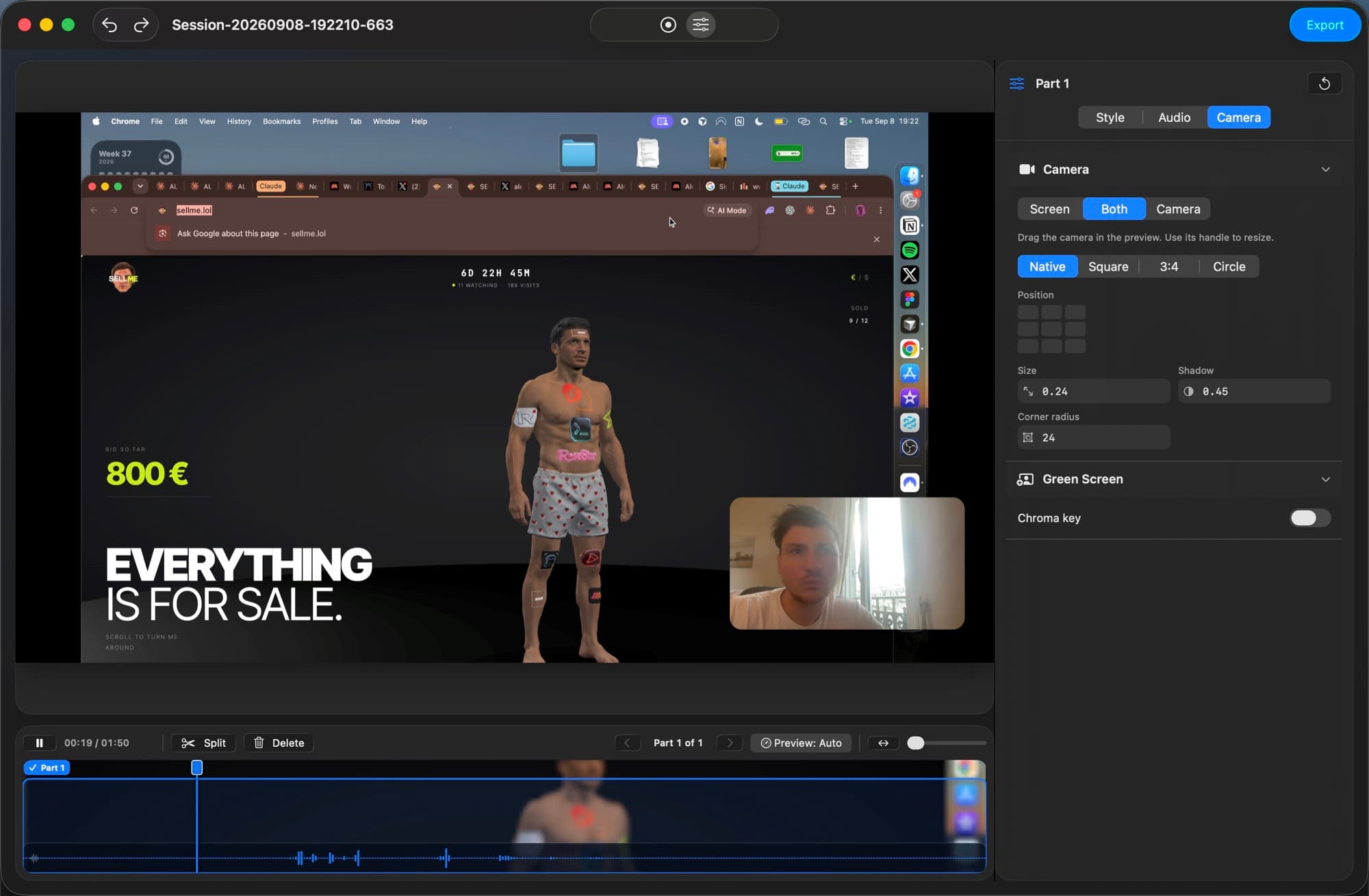
Record a display or chosen window with optional system audio, camera and microphone. Work on the take afterwards instead of trying to get every visual decision right while recording.
Trim the story into parts, change the focus, and export in landscape or portrait. Your recordings, edits and exports stay on your Mac.
Capabilities
What it does
Capture the detail
Record a display or window at up to 4K and 60 frames per second, with optional system sound.
Bring yourself into the story
Record camera and microphone alongside the screen, then decide how the presenter appears in the edit.
Change your mind later
Split, remove and restore parts without losing the original footage.
Guide the viewer
Add zooms, cursor emphasis and per-part framing to make the important action easy to follow.
Make it yours
Choose a background, camera treatment, screen border and motion that fit the video.
Export for the destination
Make a landscape or portrait MP4, or a short GIF for a quick share.
Where your material goes
Your work stays on your Mac
Stays on your Mac
- Screen and camera recordings
- Microphone and system audio
- Editing decisions
- Finished exports
Your footage and edits stay here.
Before you buy
What you need to know
| Before you buy | What to know |
|---|---|
| Mac | Intel or Apple Silicon Mac running macOS 14 or newer. |
| Permissions | Screen Recording is required. Camera and microphone are optional. Accessibility enables click tracking. |
| Recordings | Saved in your Movies folder, separate from the app. |
| Export | Full-size or 1080p MP4, plus short GIF export. |
| Download | Developer ID signed and notarized universal Mac download. |
Current limits
Know before you buy
- External camera-file import is not available yet. Use live camera capture and keep the original session files intact.
- Leave free disk space before long takes. Recovery from a full disk still needs more work.
- A full physical-device test across input disconnects, pause and resume, and export is still outstanding.
Price
$149, once
One payment for the Mac app and new builds while it is maintained. Your purchase link gives you the current download whenever a new version is published.
Included
- RecordLab for Intel and Apple Silicon Macs, paid once.
- Screen and camera capture, editing, MP4 and GIF export.
- New builds through your purchase link while RecordLab is maintained.
Not included
- Automatic installation of updates. Download the newest build through your purchase link.
- Cloud storage or syncing. Your work remains on your Mac.
Delivery & updates
Download RecordLab for Mac
After payment, your personal link opens the signed, notarized Mac download. That same link serves the newest build after each release. Replace the app in Applications to update; your recordings stay in Movies.