

GlassTerm
macOS·Apple Silicon·voice first
You talk. The agents type.
Give an agent its next task without hunting through terminal tabs. Keep several projects visible, hear a reply when you want one, and stay focused on the work in front of you.
- Hold fn and talkspeech to text on your Mac
- $199once
- Notarizedany Apple Silicon Mac
Stripe takes the card. Your download appears on this page the moment the payment clears.
Say what needs doing. Your instruction appears in the agent pane while you keep your hands on the work.
The idea
What GlassTerm is
GlassTerm gives coding agents a place on your desktop and lets you direct them by speaking. Move between projects, see what each agent is doing, and step in whenever the work needs a change.
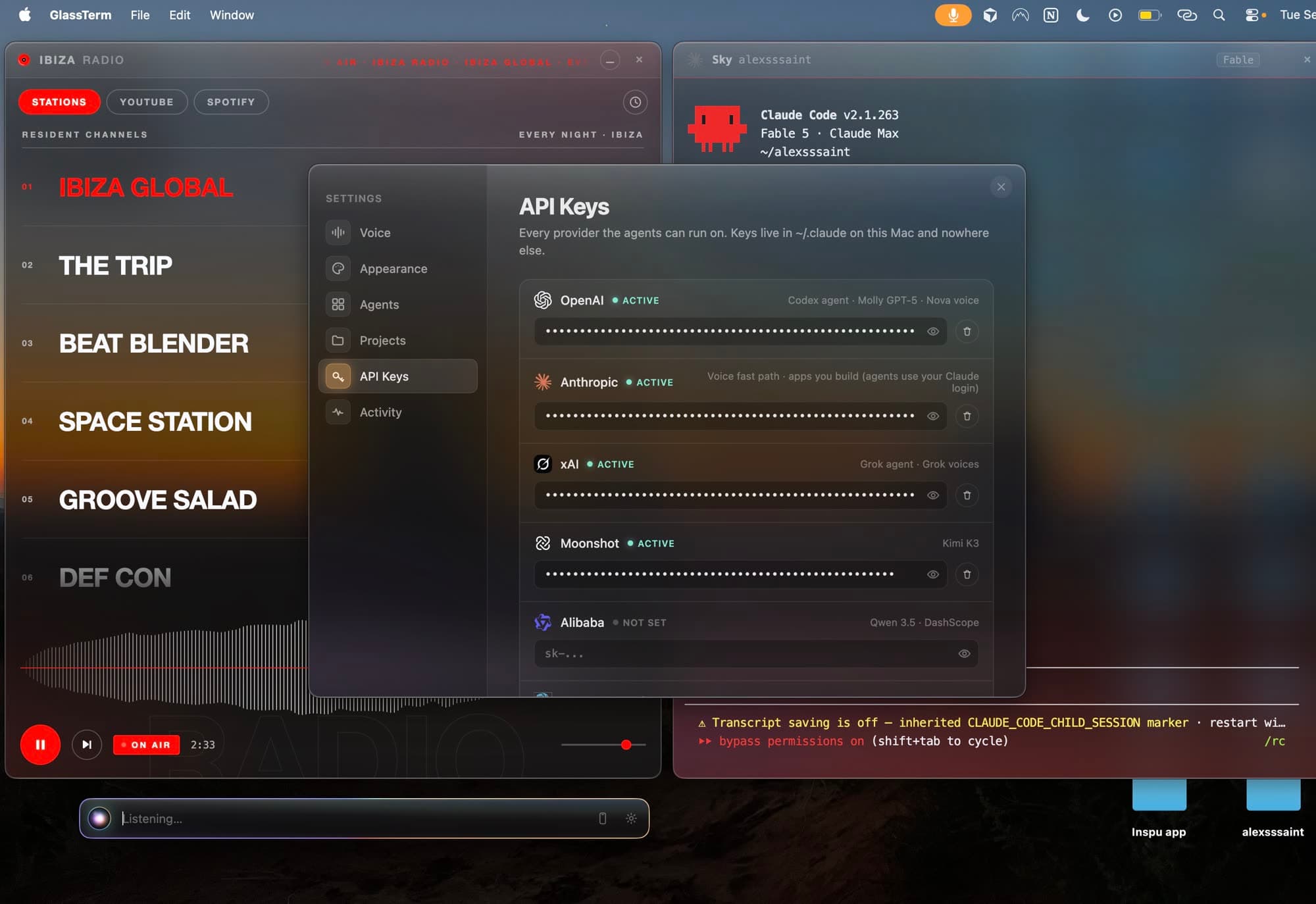
Use push to talk for a quick instruction or keep the microphone open while you work. GlassTerm supports Claude, Codex, Grok, Kimi, Qwen and Hermes.
Capabilities
What it does
Give the next instruction out loud
Hold fn to speak, use the on-screen control, or leave voice input open when your hands are busy.
Keep agents side by side
Give each agent its own pane so you can follow several tasks without losing the one you were watching.
Work across projects
Open an agent in the project you choose and keep its work in view alongside the rest of your desktop.
Stay oriented
See the agents and their current work in one place, then direct the next step when you are ready.
Choose your agent
Use the coding agents you already know, including Claude, Codex, Grok, Kimi, Qwen and Hermes.
Hear the response
Choose a spoken reply or keep the exchange on screen. Local voice options are available.
Where your material goes
Your data, on your terms
Stays on your Mac
- Your voice audio
- Your project files
- Agent panes and local workspace
- Your saved settings
Connections you choose
Your transcribed instructions
Sent to the AI provider you choose for the assistant, through your own account
Reply text for a cloud voice
Sent to your chosen voice provider, only when that option is enabled
Before you buy
What you need to know
| Before you buy | What to know |
|---|---|
| Mac | Apple Silicon Mac running macOS. |
| Setup | Node 18 or newer and Apple Command Line Tools are required. |
| Voice input | English speech input. Your spoken audio stays on your Mac. |
| AI access | Use your existing agent subscriptions or your own provider keys. Provider charges are separate. |
| Download | Developer ID signed and notarized Mac download. |
Current limits
Know before you buy
- Speech input is English only.
- The interface is dark mode only.
- The first launch still requires manual setup; there is no guided onboarding yet.
- GlassTerm checks for new releases. Install them through your purchase link.
Price
$199, once
One payment for the Mac app and new builds while it is maintained. Your purchase link gives you the current download whenever a new version is published.
Included
- GlassTerm for Apple Silicon Macs, paid once.
- Voice direction, visible agent panes, and local speech input.
- New builds through your purchase link while GlassTerm is maintained.
Not included
- Agent subscriptions and AI provider usage on your own accounts.
- Optional cloud voice charges from the provider you select.
Delivery & updates
Download GlassTerm for Mac
After payment, your personal link opens the signed, notarized Mac download. Keep that link to get the current build whenever a new version is published. Replace the app in Applications to update.